
HD Camera for Android
Mobile_V5Photography
4.617.82K Reviews
- Version
- 6.9.7.0
- Installs
- 100.00M
- Age Rating
- Everyone
Screenshots
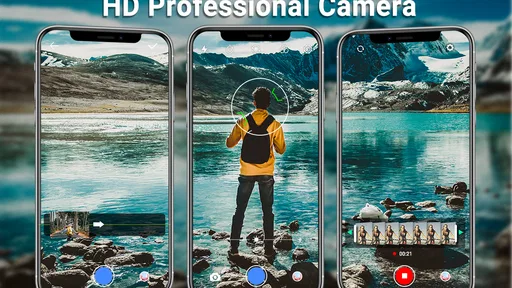
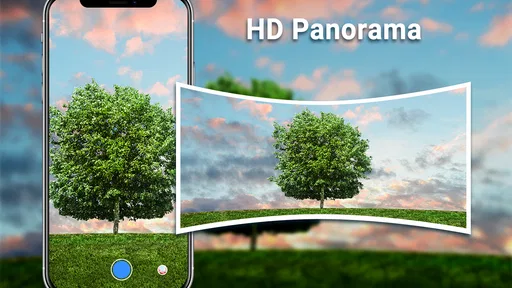
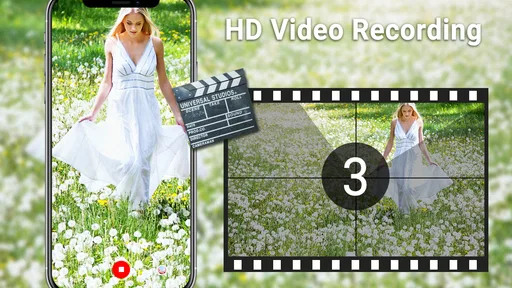
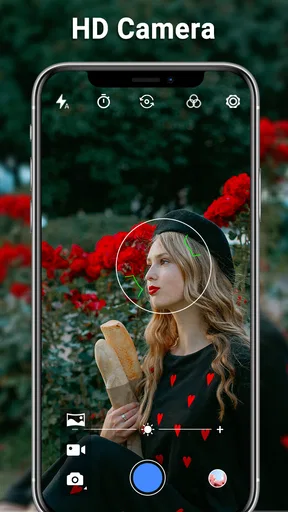
Our Review of HD Camera for Android
 Analysis by Appyee
I judge a camera app by what happens when I need a photo quickly, not by how many controls it can put on screen. Can I open it, frame the moment, and shoot without a detour? Does it give me room to make a deliberate adjustment when the light is tricky? HD Camera aims to cover both habits: quick everyday snaps and more considered shooting, without asking me to replace the camera app I already know overnight.
Start with the kind of photos you take
Before choosing it, think about your usual camera routine. If you mostly photograph family moments, meals, pets, or things you want to remember, a straightforward camera with optional extras can be more useful than a complex manual-camera interface. If you regularly work with carefully composed scenes or need a consistent professional workflow, the camera built into your phone—or a specialist camera app—may suit you better.
HD Camera is a free photography app from Mobile_V5, and its appeal is the mix of an accessible shooting experience with tools for people who like to experiment. It has a 4.6 average from around 716 thousand ratings, and has passed 100 million installs. Those figures suggest broad use, but they do not tell me whether it fits every phone or every photographer. The practical question is whether its shooting options match the way you want to work.
Where it earns a place on your phone
So, I recently got my hands on the HD Camera app for Android, and let me tell you, this little tool is a game-changer for anyone who loves taking photos. Whether you're a casual shutterbug or a budding photographer, this app is packed with features that make capturing stunning images a breeze. Let’s dive in and see what makes it tick!
Getting Started with HD Camera
First things first, installing the HD Camera app is a piece of cake. Just head over to the Play Store, download, and you’re ready to roll. The interface is clean and user-friendly, which means you can jump right in without any fuss. As soon as you open it, you’re greeted with a minimalist design that lets you focus on what really matters—the photo.
Features That Stand Out
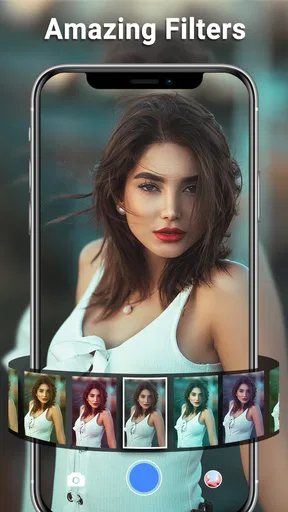
Now, let’s talk about the features because this app is loaded. One thing I love is the HDR mode. It enhances the quality of your photos by balancing the light and dark areas, making your images look more vibrant. Plus, there’s a real-time filter option that lets you see the effects as you shoot. It’s like having a mini photo studio in your pocket!
The app also offers a variety of shooting modes, including panorama, night mode, and portrait. I’ve found the night mode particularly impressive; it captures clear images even in low light, which is a big win for night owls like me. For those who like to tinker, there are manual controls where you can adjust ISO, exposure, and white balance. It's perfect for those who want to get more creative with their shots.
Those controls are most useful when I change one setting at a time. For example, in a dim room, I can adjust exposure and check the preview before taking the shot; in daylight, I can leave the controls alone and concentrate on framing. This makes the app approachable rather than demanding: I can use it as a simple point-and-shoot, then explore manual adjustments only when a scene gives me a reason.
HDR and filters also call for a little judgement. I’d treat the live filter preview as a way to choose a mood, not a guarantee that every scene will look better with an effect. For a family photo or a picture I might want to edit differently later, a natural-looking capture is often the safer starting point. HDR can help when a bright window and a darker subject share the frame, but I would compare the result with a normal shot if the lighting is already even.
A Smooth Shooting Experience
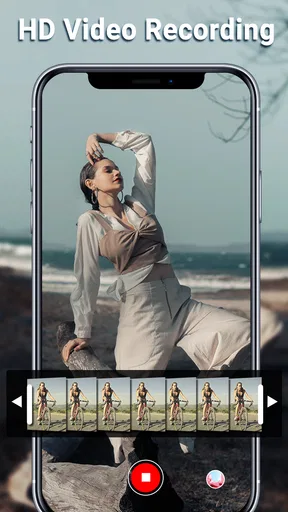
Using the camera feels intuitive. The shutter button is responsive, and there’s minimal lag, which means you won’t miss that perfect moment. I also appreciate the quick switch between photo and video modes. It’s seamless, making it easy to capture whatever catches your eye without fumbling around.
Another nifty feature is the timer, which is handy for group shots or when you want to be in the frame yourself. Set it, pose, and snap—easy peasy!
The timer is especially helpful if I want to avoid asking someone else to take a picture or balancing the phone awkwardly while joining a group. I’d set the composition first, check that everyone is in the frame, and then use the delay to get into position. For moving subjects, though, a timer is no substitute for timing the shot; it works best when the people or objects in view are likely to stay put.
Panorama has a different kind of trade-off. It can make sense for a broad landscape or a room whose full shape matters, but it is not my first choice for children, pets, or anything moving across the frame. A slow, steady sweep is the sensible approach, and keeping the phone level helps make the result easier to use. For a quick photo of an ordinary scene, a standard frame is usually less fuss.
Editing on the Go
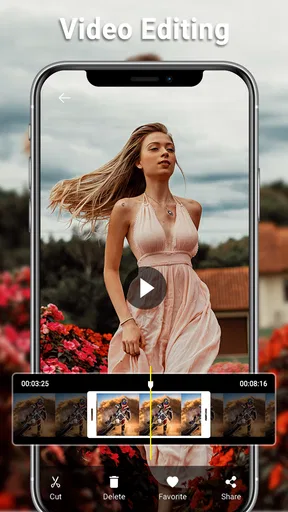
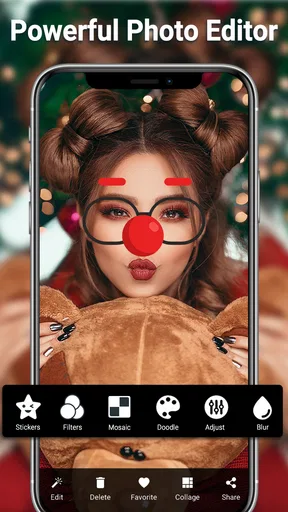
Once you’ve taken your photos, the fun doesn’t stop there. The app includes a built-in editor with all the basics like crop, rotate, and brightness adjustments. But it goes further with options to add filters, frames, and even doodles. It’s a nice touch for those who want to add a bit of flair before sharing their masterpieces on social media.
Oh, and speaking of sharing, the app makes it super simple to upload your photos directly to your favorite platforms. Just a couple of taps, and your stunning snapshots are out in the world!
I see the editor as a convenient finishing station rather than a reason to do every edit inside the camera app. A quick crop or brightness correction can make a picture ready to send, while more involved edits are easier to judge later on a larger screen or in an editor designed around detailed adjustments. Keeping an untouched original when a photo matters is a sensible habit, especially before applying a filter or drawing over an image.
Performance and Compatibility
In terms of performance, the app runs smoothly on most Android devices. It doesn’t hog resources, which is a bonus if you’re running low on storage or battery. The developers have done a great job optimizing it for a wide range of devices, so whether you’re on a high-end phone or something more budget-friendly, you’re covered.
It is rated Everyone, and the current version is 6.9.7.0; it requires Android 6.0 or later. It first appeared on August 26, 2014, so this is an established app rather than a brand-new camera experiment. I would still test it on my own phone before making it my default: Android camera behavior can vary by device, and a feature that feels smooth on one handset may not feel identical on another.
How it compares with other camera choices
The built-in camera app is the obvious alternative, and it often wins when it is already quick to open and well matched to the phone’s camera hardware. I would keep using it if it reliably gives me the framing, focus, and results I want. HD Camera makes more sense when I want a separate, accessible place to try modes such as panorama, use a live filter, or reach manual controls without turning a casual photo into a complicated project.
At the other end are specialist camera apps aimed at people who want deeper control or a more deliberate shooting workflow. Those may be a better fit if I routinely fine-tune every capture or need tools beyond a straightforward set of shooting and editing options. The trade-off is that extra control can slow down a spontaneous shot. HD Camera sits between those approaches: more to explore than a bare-bones camera, but still oriented toward quick use.
That middle ground matters in everyday situations. Imagine I’m at a friend’s gathering: I can take a quick group photo, use the timer if I want to join in, and switch to a panorama for the view from the balcony. If the light changes indoors, I can try HDR or adjust exposure rather than abandoning the shot. I would not expect those options to rescue every difficult scene, but they give me useful ways to respond without needing a separate camera for ordinary moments.
What to check before switching
Changing camera apps is easy; changing a familiar habit takes longer. I’d keep the phone’s original camera available while trying this one, then compare them in the same everyday conditions: a bright outdoor scene, an indoor subject, and a quick shot where opening speed matters. That tells me more than a single carefully posed photo. If HD Camera makes the controls easier to reach but the built-in app captures the moment more reliably on my phone, I would choose the built-in app for that situation.
I would also check where the finished pictures appear in my normal photo library and whether the editing and sharing steps fit my routine. A camera is only convenient if I can find the image afterward and send or edit it without extra friction. For occasional use, keeping both apps is perfectly reasonable; there is no need to make one the default just because it offers more modes.
One practical way to get comfortable is to begin with the basic shooting screen and leave advanced controls untouched for a few outings. Then try one feature at a time: use the timer for a group picture, panorama for a static wide view, or manual exposure when the preview looks too bright or dark. This avoids the common trap of changing several settings at once and not knowing which one helped—or made the result harder to use.
Who should choose it—and who may not need it
I’d recommend giving it a try if you want a free camera app that combines straightforward shooting with extra modes and basic editing. It is a sensible option for casual photographers, people who enjoy experimenting with filters, and anyone who sometimes wants more control over exposure, ISO, or white balance. Its Everyone age rating also makes it broadly suitable from a content-rating perspective, though a parent should still decide what is appropriate for a child’s device and use.
I would skip it if my current camera app already does everything I need, or if I’m looking for a specialist tool built around advanced photographic workflows. It may also be the wrong choice when consistency across several devices or a particular professional feature matters more than convenience. The best test is not whether the feature list sounds appealing; it is whether I reach for the app after the novelty wears off.
Final Thoughts
All in all, the HD Camera app is a fantastic addition to any Android device. It’s packed with features that cater to both novices and seasoned photographers alike, and its ease of use makes it accessible to everyone. If you’re looking for a way to up your photo game without breaking the bank, this app is definitely worth checking out.
So, why not give it a whirl and see the difference it makes in your photo-taking adventures? You might just be surprised by what you can capture with this handy tool. Happy snapping!
My recommendation is to treat it as a practical alternative to try, not an automatic replacement for the camera that came with your phone. The app is free, so I can compare its handling and results with my usual option without committing money; if its extra shooting choices make everyday photos easier or more enjoyable, it has earned its place. If I find myself returning to the built-in camera every time, that is a useful answer too. I’d choose the tool that gets the picture I want with the least hesitation.
Verdict
Strengths of HD Camera for Android
- High-resolution photo quality.
- User-friendly interface.
- Variety of shooting modes.
- Adjustable exposure settings.
- Quick autofocus feature.
Limitations of HD Camera for Android
- Contains in-app ads.
- Limited editing tools.
- Requires Android 6.0+.
- Occasional lag in HDR mode.
- No cloud backup option.
Other Releases by Mobile_V5
View All
Music Player - Audio Player
Music & Audio4.7

Beauty Camera: Sweet Camera
Beauty4.6
Similar Picks in This Category
View All
Google Photos
Google LLC4.4

Gallery
Google LLC4.2

Picsart AI Photo Editor, Video
PicsArt, Inc.3.9

B612 AI Photo&Video Editor
SNOW Corporation4.1

BeautyPlus-Selfie Photo Editor
PIXOCIAL TECHNOLOGY (SINGAPORE) PTE. LTD.4.5

Remini - AI Photo Enhancer
Bending Spoons4.1
Frequently Asked Questions
What are the key features of HD Camera for Android?
HD Camera for Android offers a variety of features, including professional camera modes, real-time filters, and high-quality photo and video capture. Users can also enjoy advanced editing tools, customizable settings, and a user-friendly interface that enhances the photography experience on mobile devices.
Is HD Camera for Android free to use?
Yes, HD Camera for Android is free to download and use. However, it may offer in-app purchases for additional features or to remove ads. Users can enjoy the core functionalities without any cost, making it accessible for everyone who wants to capture high-quality images.
How does HD Camera for Android improve photo quality compared to the default camera app?
The app enhances photo quality by offering advanced settings such as manual focus, ISO adjustments, and exposure control. Real-time filters and HDR capabilities further enhance the image quality, allowing for more vibrant and detailed photos compared to the standard camera app.
Does HD Camera for Android require a lot of storage space?
HD Camera for Android is optimized to be lightweight and does not require excessive storage space for installation. However, high-resolution photos and videos can take up significant storage, so it’s advisable to manage your media files regularly or use cloud storage solutions.
Is HD Camera for Android compatible with all Android devices?
HD Camera for Android is designed to be compatible with a wide range of Android devices. However, some features might be limited on older models due to hardware constraints. It’s recommended to check the app’s compatibility with your device specifications before downloading.
